
Giant recordings.
Featherweight files.
ProRes, XAVC and other camera files become light H.265 or H.264 videos using your Mac's own hardware encoder. You see the final size before you commit, and the original goes to the Trash, never deleted.
macOS 13 or later · Apple silicon · free · 37 MB
typical size drop at 1080p
faster than real time on Apple silicon
bytes uploaded, it all happens on your Mac
Nothing leaves this Mac.
No cloud, no upload
Every frame is encoded by the media engine inside your Mac. It works in airplane mode.
No account, no tracking
There is no sign-up, no telemetry and no analytics. The app does not know who you are.
Your originals are safe
The new file only takes over after it is verified, and the original goes to the Trash, where Put Back brings it right back.
Features
Hardware compression
H.265 or H.264 through VideoToolbox: typically 10 to 18 times faster than real time on Apple silicon, and the fans stay quiet.
The size before you decide
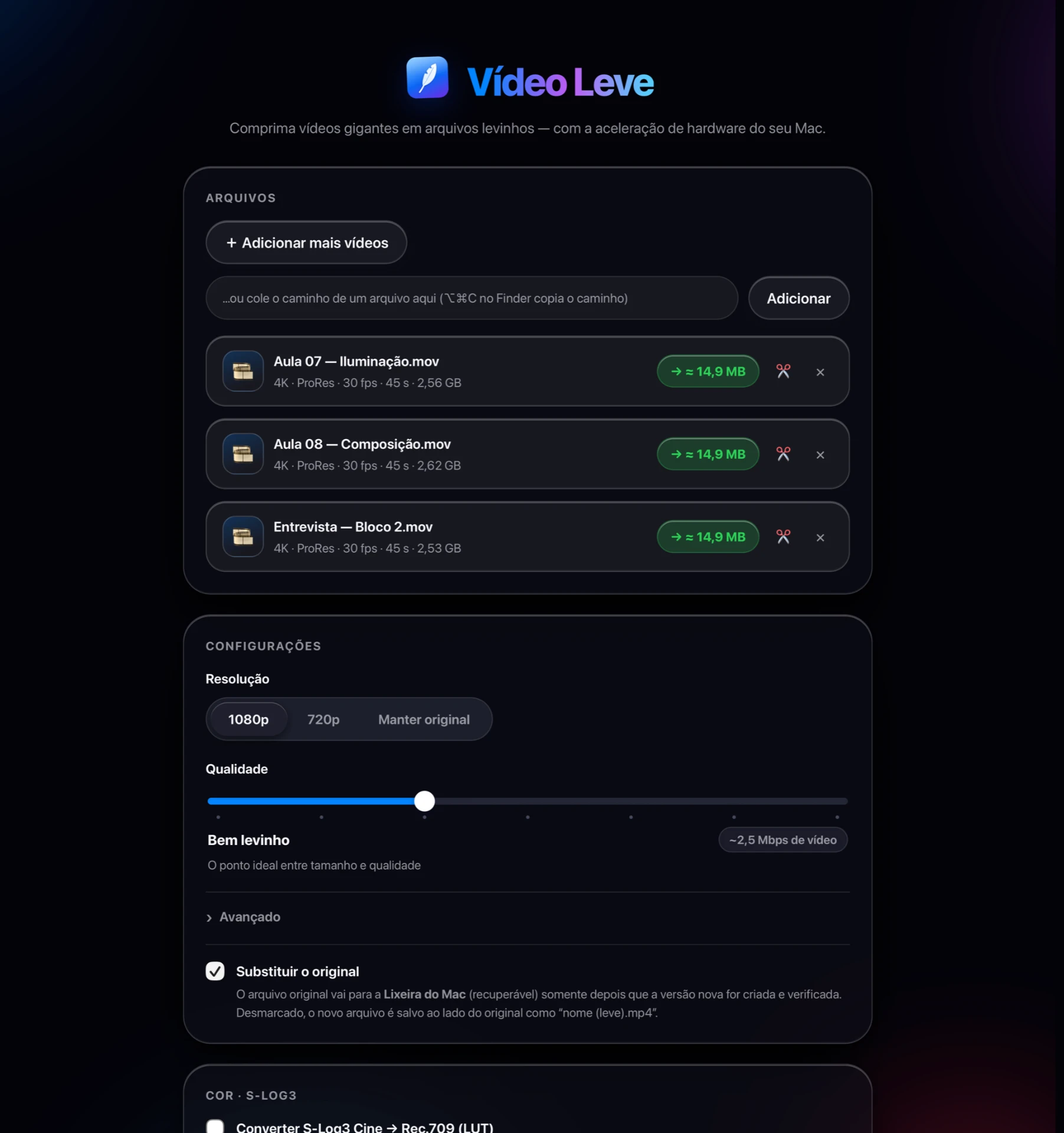
Choose the resolution and drag a seven-step quality slider. The final size and the space you will save update as you drag.
Trim the start and the end
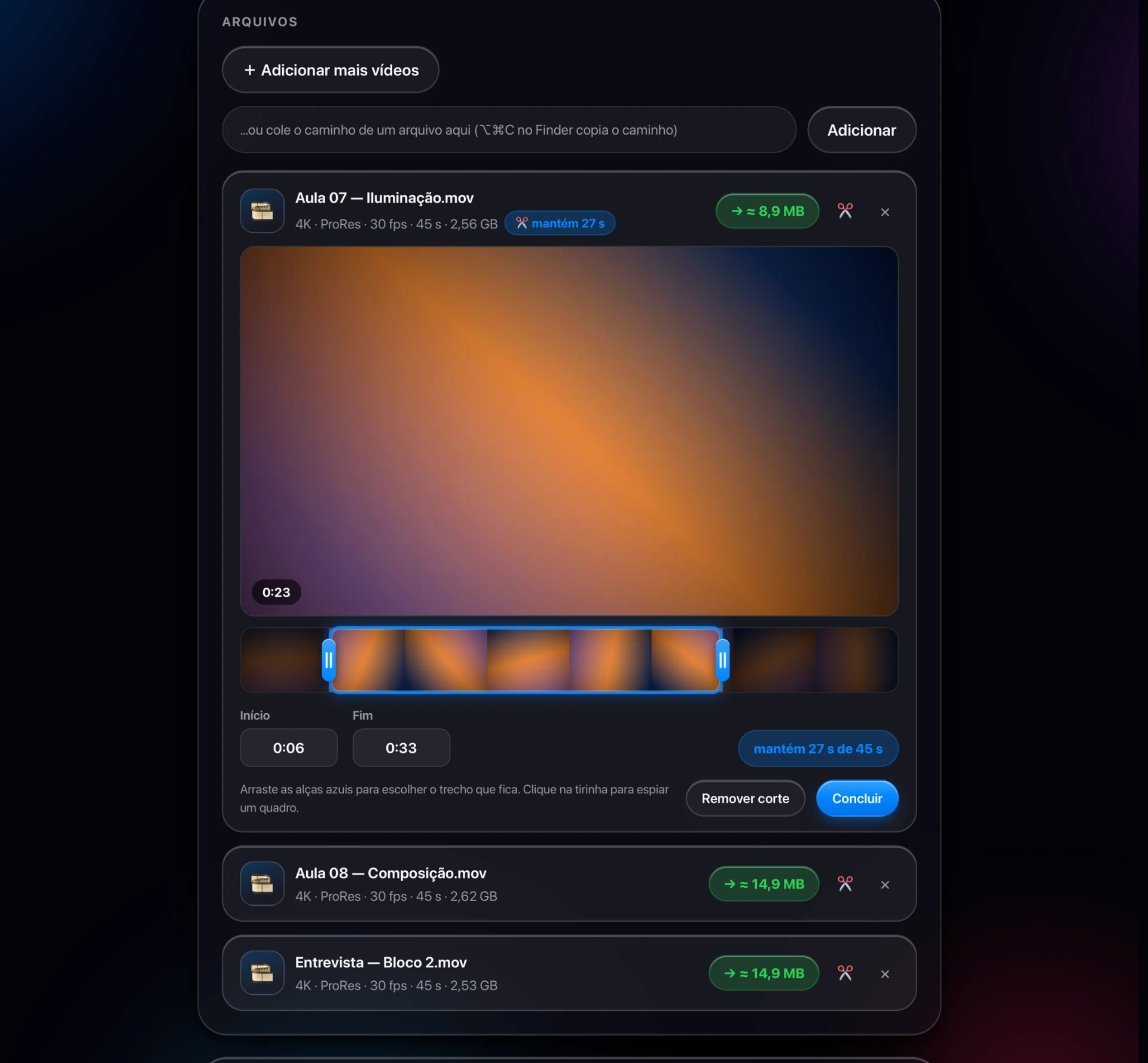
A filmstrip, two handles and a live frame preview. Cut the throat-clearing at the beginning and only the part you want gets compressed.
S-Log3 to Rec.709
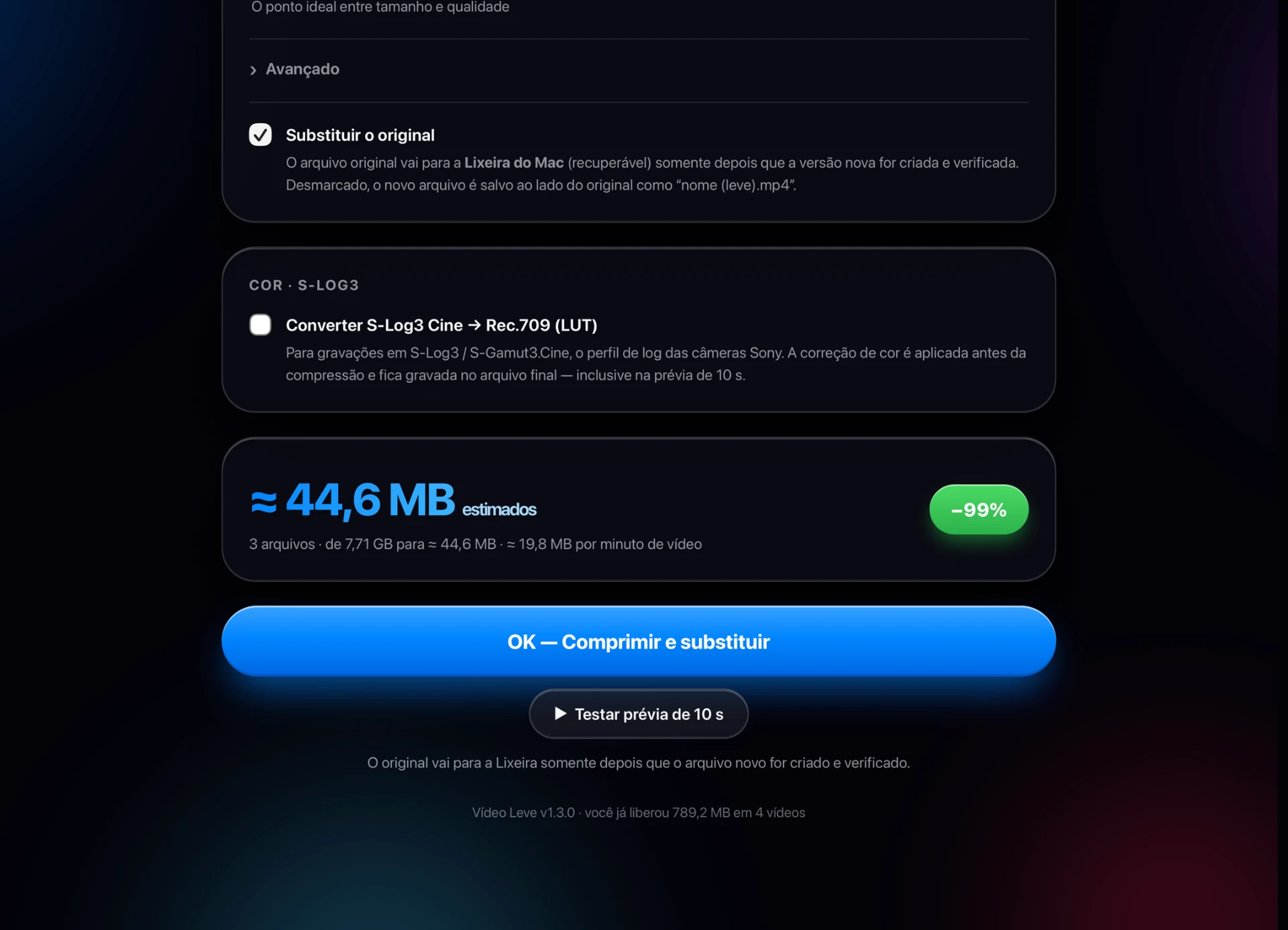
Shot flat on a Sony? The app rebuilds Rec.709 colour with a LUT generated from Sony's own decode formula, with exposure, contrast, saturation and temperature at hand.
Safe replace
The compressed file only replaces the original after the app verifies its duration, and the original lands in the Trash, not in the void.
A queue you can steer
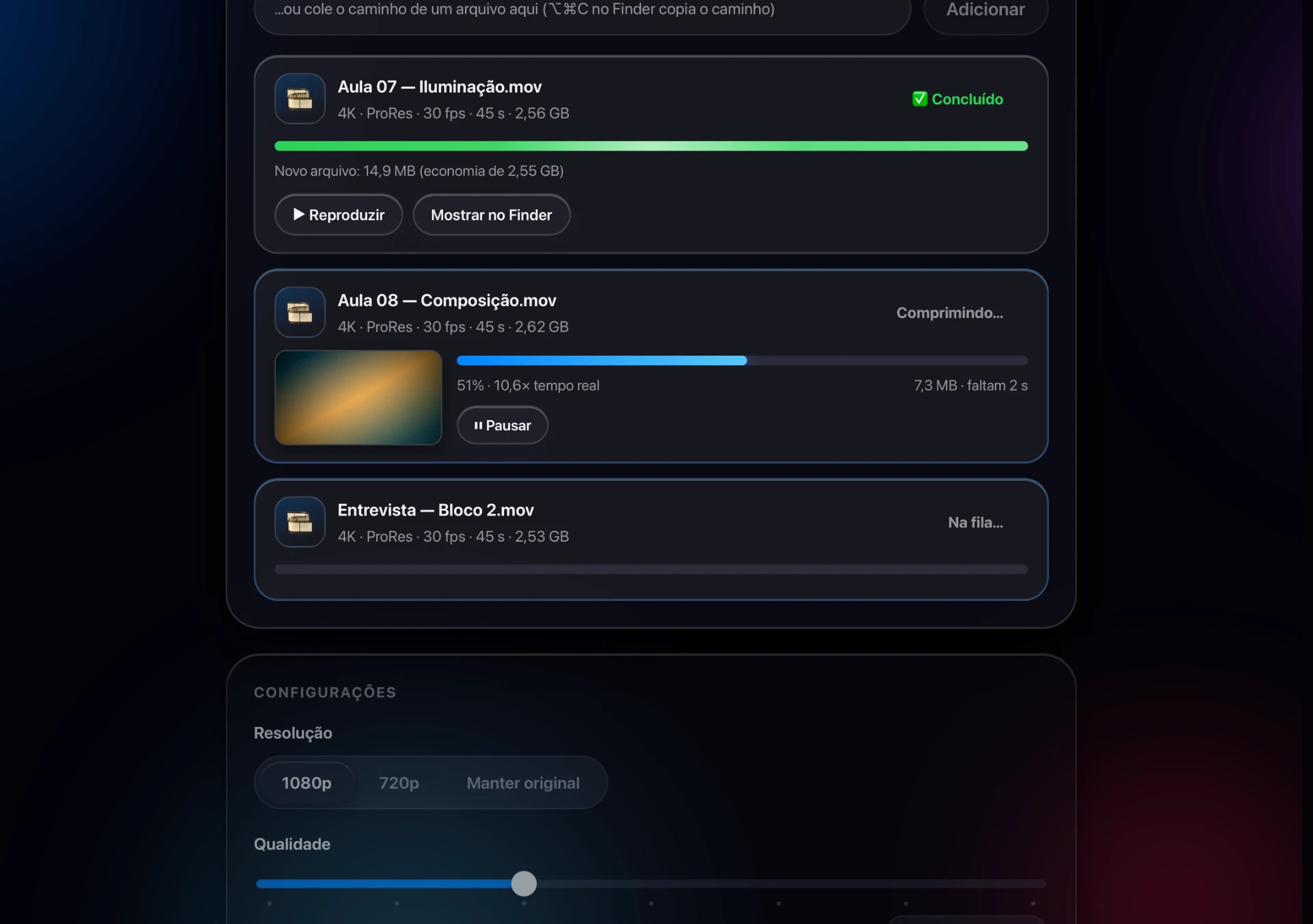
Drop a whole folder, reorder it by dragging, watch the frame it is encoding right now, pause and resume whenever you like.
Flat footage, fixed before it is compressed.
S-Log3 and S-Gamut3.Cine protect every highlight, but they look washed out on any normal screen. Vídeo Leve rebuilds Rec.709 colour with a LUT it generates on the spot from Sony's own decode curve, not a preset downloaded from somewhere, and bakes it into the compressed file. Adjust intensity, exposure, contrast, saturation and temperature, and the preview answers instantly.


Cut before you compress
Two handles over a filmstrip decide what survives. The frame under the playhead appears while you drag, timecodes can be typed by hand, and the size estimate follows the trimmed length, not the original one. Just want to trim the video, without compressing it? Quick Cutter does that without re-encoding anything.
Watch it work, or walk away
Drop a folder, reorder the queue by dragging, and watch the frame being encoded right now. Pause and resume any job. Close the window mid-run and the app asks whether to finish in the background: a notification tells you when it is done, and nothing keeps running afterwards.
How it works
- 1
Drop your videos
Drag them in from Finder, one by one or a whole folder.
- 2
Choose the weight
Resolution, quality, trim and colour. The estimate follows every change.
- 3
Press OK
Your Mac encodes. The light file takes the original's name, and the original goes to the Trash.
Download Vídeo Leve
Version 1.3.0 · 37 MB · free
Requirements
- macOS 13 (Ventura) or later
- Apple silicon Mac (M1 or newer)
- FFmpeg, installed once with Homebrew
brew install ffmpegFFmpeg is the engine that reads your camera files and drives your Mac's hardware encoder. If it is missing, the app shows you this same step on first launch.
On first launch, right-click the app and choose Open, or allow it in System Settings → Privacy & Security. The app is not notarised by Apple yet.